

Zibi Theme Dashboard: Global Settings – Custom Code – Adding Custom CSS Styles:
/* 作者卡片区域:关注 + 私信 统一颜色 */
body .user-action .follow.c-red,
body .user-action .but.c-blue{
    background-image: none !important;
    background-color: #24b9d7 !important;
    border-color: #24b9d7 !important;
    color: #fff !important;          /* 图标与文字反白 */
}
You can replace the colors #24b9d7 and #fff with your own preferred colors.
Preview/Screenshot:
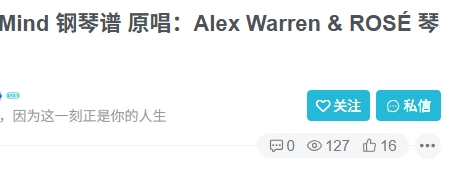
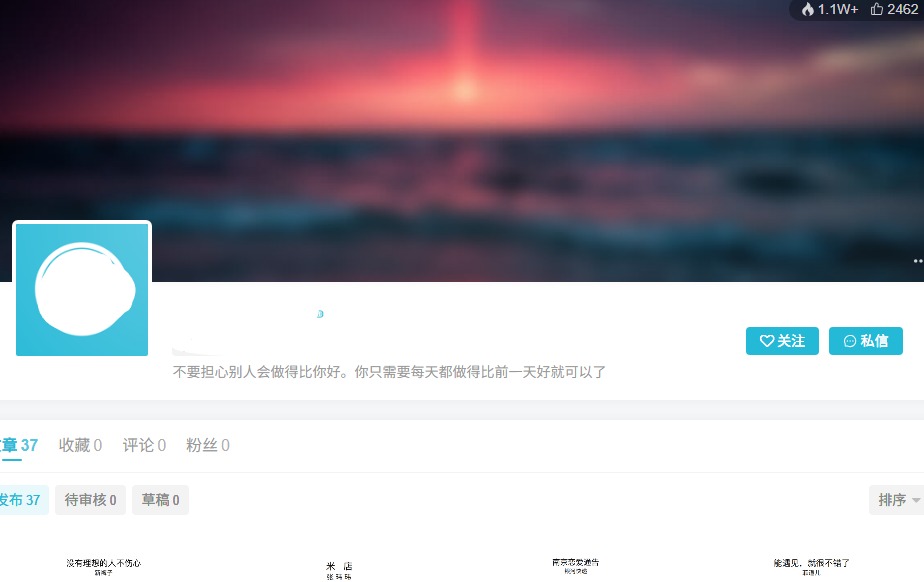
To apply a uniform color to "Follow" and "Private Message" buttons across all areas, add the following custom code: (Zibll theme dashboard: Global Settings > Custom Code > Custom CSS)
/* 统一覆盖所有场景下的 关注/私信 按钮颜色 */
body .header-btns .but.jb-pink,
body .header-btns .but.jb-blue,
body .post-author-box .but.jb-pink,
body .post-author-box .but.jb-blue,
body .author-card .but.jb-pink,
body .author-card .but.jb-blue,
body .widget-author .but.jb-pink,
body .widget-author .but.jb-blue{
    background-image: none !important;
    background-color: #24b9d7 !important;
    border-color: #24b9d7 !important;
}
Other Articles

Next
Previous
No Comment! Be the first one.